How Can the Fleck 5600SXT Regeneration Cycle Be Optimized for Maximum Savings?
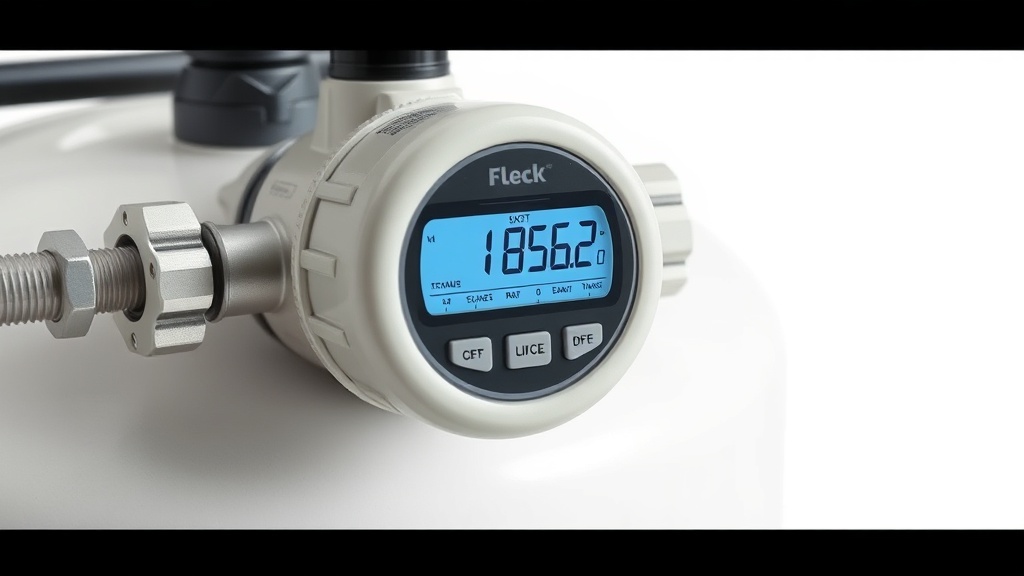
The Fleck 5600SXT is a robust, metered water softener that relies on proper regeneration tuning to balance salt consumption, water usage, and resin bed effectiveness. Many owners accept the factory default settings, missing an opportunity to cut operating costs by 20–30% annually. In this guide, we break down each adjustable parameter—from salt-based efficiency calculations to brine draw timing—so you can optimize the Fleck 5600SXT regeneration cycle to save both water and salt without sacrificing soft water quality.
What Are the Key Regeneration Cycle Parameters on the Fleck 5600SXT?
The Fleck 5600SXT uses a five-stage regeneration cycle: backwash, brine draw, slow rinse, fast rinse, and brine tank refill. Each stage has a default duration that may not match your specific water hardness, resin capacity, or daily usage pattern. Optimizing these parameters begins with understanding the following adjustable values in the master programming menu:
- Backwash Time (BF) – Default 10 minutes; expands the resin bed and flushes debris.
- Brine Draw Time (BD) – Default 60 minutes; pulls brine from the tank into the resin.
- Slow Rinse Time (RR) – Default 60 minutes; pushes brine through the resin for ion exchange.
- Fast Rinse Time (RF) – Default 10 minutes; flushes residual brine hardness.
- Brine Refill Time (BREF) – Controls how much water enters the brine tank for the next cycle.
- Salt Dosage (lbs per regeneration) – Set via the refill time and salt efficiency program.
Measuring your raw water hardness with a test kit, then calculating the required resin capacity per cubic foot, allows you to set each timer with precision. Overestimating any stage wastes both water and salt; underestimating leads to hardness breakthrough between regenerations.
How Do You Calculate the Optimal Salt Dose and Brine Refill Time?
Salt consumption is directly tied to the brine refill time. The Fleck 5600SXT fills the brine tank with a specific volume of water, which then dissolves salt to create the brine solution used during ion exchange. A common mistake is assuming more salt equals softer water—in reality, excess brine is flushed down the drain.
| Resin Volume (cu ft) | Desired Capacity (grains) | Optimal Salt per Regeneration (lbs) | Brine Refill Time (minutes)* | Water Saved per Regeneration (gallons) |
|---|---|---|---|---|
| 1.0 | 24,000 | 6 | 4.5 | 18 |
| 1.5 | 36,000 | 9 | 6.8 | 27 |
| 2.0 | 48,000 | 12 | 9.0 | 36 |
| 2.5 | 60,000 | 15 | 11.3 | 45 |
Using this reference table, a 2.0 cu ft resin system treating 30 grains per gallon (gpg) hard water with a family of four can save roughly 36 gallons of water per regeneration compared to the factory default brine fill. Over a year with 52 regenerations, that equates to 1,872 gallons of water and 156 lbs of salt saved. For an in-depth analysis of salt cost, see salt-based efficiency metrics.
What Are the Most Common Mistakes That Waste Water and Salt?
Even experienced users occasionally input incorrect values. The most frequent errors involve overfilling brine tanks, setting backwash too long, and ignoring salt bridge formation. Here are three specific pitfalls:
- Overfilling the brine tank: Adding salt above the water level creates a salt bridge, reducing brine concentration and forcing extra regeneration cycles.
- Excess backwash duration: Extending backwash beyond 12 minutes for a 2.0 cu ft system wastes 18–24 gallons of water.
- Ignoring hardness changes: Seasonal well water hardness spikes can require a temporary adjustment; using static settings year-round either wastes resources or causes hard water breakthrough.
A weekly visual check of brine tank salt level and a monthly water hardness test using a titration kit help identify drift. If you encounter a salt bridge, refer to this guide for safe removal.
How Does Slow Rinse Time Affect Salt Efficiency?
The slow rinse stage, often labeled “brine rinse” in the Fleck 5600SXT menu, is where the actual ion exchange occurs. Brine is pushed through the resin bed at a slow rate to allow sodium ions to replace calcium and magnesium. Shortening this stage below 50 minutes can cause incomplete regeneration, leading to early hardness breakthrough and more frequent cycles that waste salt.
Extending slow rinse beyond 70 minutes, however, provides diminishing returns—additional brine is simply flushed away. For most residential systems with 1.0 to 2.0 cu ft of resin, 60 minutes is optimal. If your raw water hardness exceeds 40 gpg, consider increasing to 70 minutes; below 20 gpg, 50 minutes is sufficient. Monitor after each adjustment by testing the effluent hardness 24 hours post-regeneration.
What Do Owners Say About Their Optimized Settings?
Homeowners who have tuned their Fleck 5600SXT regeneration cycle share consistent feedback. On forums and product review sites, the most common reports include a 25–35% drop in monthly salt purchases and noticeably less water entering the drain during regeneration. For example, one owner in Arizona with a 48,000-grain system reduced salt from 20 lbs per week to 12 lbs per week by lowering brine refill time from 9.5 minutes to 7.2 minutes. Another in Florida noted that adjusting backwash from 14 to 8 minutes saved about 40 gallons per regeneration without any hardness leakage.
However, some owners warn that aggressive optimization can backfire if the household experiences a sudden spike in water usage (e.g., guests or irrigation). The consensus is to start conservatively, test the treated water daily for a week, and then fine-tune. For step-by-step hardware adjustments, consult the installation guide—it covers menu navigation and proper brine line setup.
Frequently Asked Questions
Does reducing salt dose always save money?
Not necessarily. If you drop salt below 3 lbs per cubic foot, the resin may not regenerate fully, forcing daily regenerations that increase water use and wear on the valve. The sweet spot is 6 lbs per cu ft for standard efficiency, or 4 lbs per cu ft if you use a high-efficiency program, which lowers capacity but improves salt efficiency.
How do I know if my regeneration cycle is too short?
Test your softened water 4–6 hours after a regeneration cycle using a hardness test strip or titration kit. If you detect more than 1 gpg hardness, the cycle is insufficient. Also check for brine tank salt levels that remain unchanged after a regeneration, indicating incomplete draw.
Can I use potassium chloride instead of sodium chloride with the Fleck 5600SXT?
Yes, but potassium chloride (KCl) requires a longer brine draw time (typically +50%) because it dissolves slower than sodium chloride. Adjust the BD and RR parameters accordingly; otherwise, the resin may not regenerate fully.
How often should I clean the brine tank to maintain efficiency?
Clean the brine tank at least once a year, or every six months if you use high-iron water. Accumulated sediment can reduce brine concentration. For a thorough procedure, refer to this cleaning guide.
What happens if I set the brine refill time too high?
Excess brine enters the tank, raising the salt dissolution rate but also increasing waste. The extra brine is flushed during the rinse cycle, wasting water and salt without improving softness. It can also cause salt mushing in the tank bottom.
Do I need to recalibrate the flow meter after changing regeneration settings?
No—the flow meter is mechanical and measures total volume independently of the timer program. However, you should reset the “Days Override” setting if you modify the capacity calculation. The 5600SXT will adjust regeneration frequency automatically.